

An Omnichannel communication strategy sounds like a big business term, but at the customer level, it is very simple. People want to talk to a company without starting from zero every single time.
A customer may send an email about a delayed order, then message on Instagram the next day, then use live chat because nobody has replied yet. If each agent asks, “Can you explain the issue again?” the customer will probably get irritated. Not because the question is rude. Because it feels like nobody is paying attention.
That is the real point of omnichannel support. It helps the company remember the conversation.
An Omnichannel communication strategy matters because support is no longer happening in one neat place. Customers use whatever is easiest at that moment. Sometimes that is email. Sometimes it is chat. Sometimes it is a quick DM sent while they are standing in a grocery line.
The problem starts when the business treats each message like a separate case. One agent answers the email. Another person replies on social media. Someone else takes the phone call. Nobody sees the whole story.
That is how small issues become bigger than they need to be.
Most customers are not asking for anything fancy. They usually want:
That last one matters a lot. Having to repeat the same issue again and again makes even a patient customer sound annoyed.
How can businesses create an effective omnichannel communication strategy? They should first look at where customers are already talking to them. Not where the business wishes customers would talk. Where they actually are.
For one company, email may still be the main channel. For another, customers may be using WhatsApp, Instagram, website chat, phone calls, or SMS. Guessing can lead to wasted tools and tired teams.
The next step is connection. A support agent should be able to see past messages, order details, ticket notes, and customer history in one place. Nobody wants to dig through five apps while the customer is waiting.
How can businesses create an effective omnichannel communication strategy? They can also keep the tone and process consistent. A customer should not receive one answer on chat and a totally different answer by email. That makes the company look confused, even if the team is working hard.
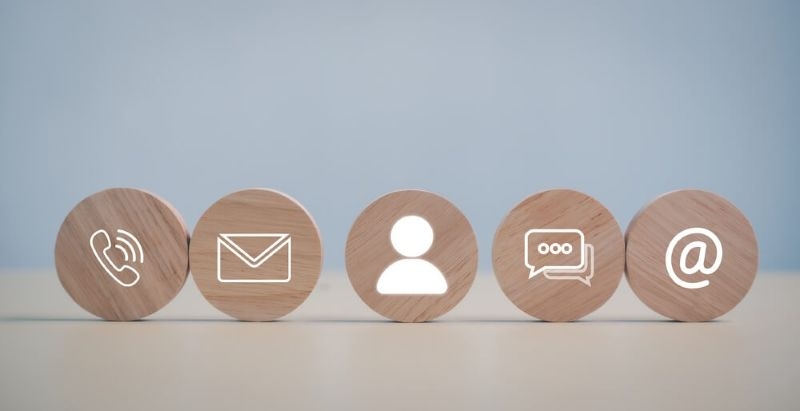
Good customer support channels depend on the type of business and the type of customer. A fashion brand may need Instagram DMs and WhatsApp. A software company may need email, live chat, and a help center. A healthcare or finance business may still need phone support because some issues are too sensitive for quick messages.
The mistake is opening too many doors at once. More channels do not automatically mean better support. Sometimes they just mean more places for messages to get missed.
These are the customer support channels you can use:
Check Next: GIFs in Digital Communication and Their Impact on Engagement
A business should know why every channel exists. Chat can handle quick questions. Email works well for details. Phone calls are better when emotions are high or the issue is complicated. Social media helps catch public complaints before they become louder.
When every channel has a purpose, support feels less messy.
Multi channel communication is useful, but only when it is organized. Otherwise, it becomes a pile of messages from different places with no clear owner.
Imagine a customer messages on Facebook, then emails because there is no reply, then calls the next morning. If three agents respond separately, the customer may receive three different answers. That is awkward for the team and irritating for the customer.
Good multi channel communication needs shared notes, ticket ownership, and a single view of the customer. If one agent has already promised a refund update, the next agent should see that before replying.
This does not have to be complicated. Even a small team can use tags, notes, and clear handoff rules.
A customer engagement strategy is not only about solving complaints after they happen. It also includes small, useful messages before customers get frustrated.
For example, if an order is delayed, a simple update can prevent three angry emails. If a product needs setup, a short guide sent at the right time can reduce confusion. If a customer had a bad experience, a follow-up message can show that someone actually cared.
The trick is not to overdo it. Too many messages feel annoying. Too few feel careless.
A good customer engagement strategy should feel helpful, not clingy. Customers usually appreciate updates when those updates save them time, money, or confusion.
Personalization does not need to sound dramatic. Mentioning an order number, a previous issue, or the customer’s preferred channel is enough.
What feels strange is when brands try too hard to sound like a close friend. Most customers just want a useful reply written by someone who seems to understand the issue.
Digital customer support has become normal now. People expect chat, email, help centers, social replies, and sometimes AI assistance. That is fine. Digital tools can make support faster.
But fast replies are not always good replies.
Customers can easily spot a copy-paste answer that does not match their problem. A template is not bad by itself. In fact, it can help agents move faster. But it should be adjusted so it sounds like someone actually read the message.
Good digital customer support uses technology to reduce waiting, not to make customers feel brushed aside. A refund issue, a failed payment, or a broken product needs a slightly warmer answer than “We apologize for the inconvenience.
Read More: Top Customer Communication Strategies for Better Retention
Good support communication tools help the team see everything in one place. They can collect emails, chats, social messages, ticket notes, and customer details into one dashboard. That alone can save a lot of confusion.
The best tool is not always the most expensive one. A small business may only need a simple helpdesk, shared inbox, and chat tool. A bigger team may need automation, CRM integration, call routing, reporting, and internal notes.
The right support communication tools should make agents calmer and faster. If the software creates more work than it removes, something is wrong.
Yes, with a simple setup, a small business can do omnichannel support. It doesn’t require a large call center or expensive software immediately. A shared inbox, one chat tool, and clear responsibility rules can help a small team not miss messages. The main thing is to follow up conversations in a proper manner so that customers don’t feel forgotten.
One obvious sign is recurring customer frustration. If people keep saying, “I already explained this” the system is probably not plugged in well enough. Another red flag is when agents’ responses are inconsistent across channels. That usually means there’s no shared place to see customer history, internal notes and support policies.
Not so much. Choose channels according to customer habits and your team’s capacity. Offering every channel is great, but if the team can’t handle them, they can turn into slow replies. Better three channels done well than six channels done badly. The quality of the answer matters more than how many ways you can contact them.
This content was created by AI